Opening Files from Cloud Storage with the Audio Picker
Open audio files from Google Drive and other cloud storage in Music Speed Changer for Android with the Audio picker.

Updated
by Steve Myers
The Audio picker opens your device's own file picker, so you can open audio files from anywhere your device can reach, including cloud storage such as Google Drive, Dropbox or OneDrive. It can also find files that don't show up in the Library.
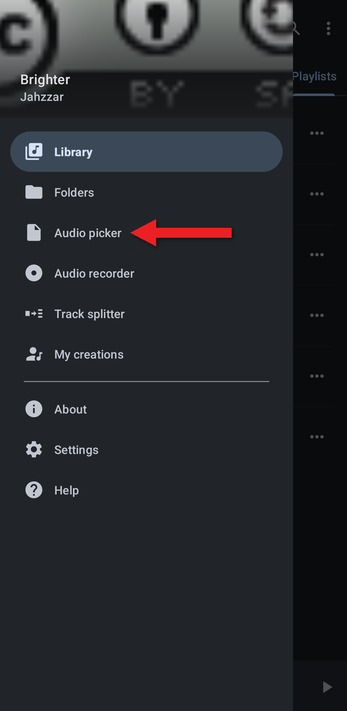
- Open the app menu (☰) and tap Audio picker.
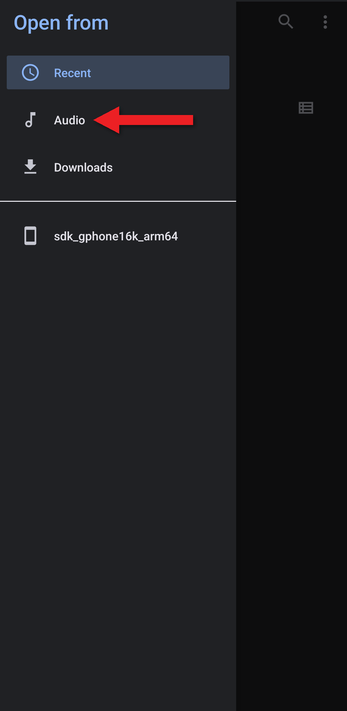
- Android's file picker opens. Tap ☰ to choose where to open the file from. Cloud storage apps you've installed and signed in to, such as Google Drive, appear in this list.
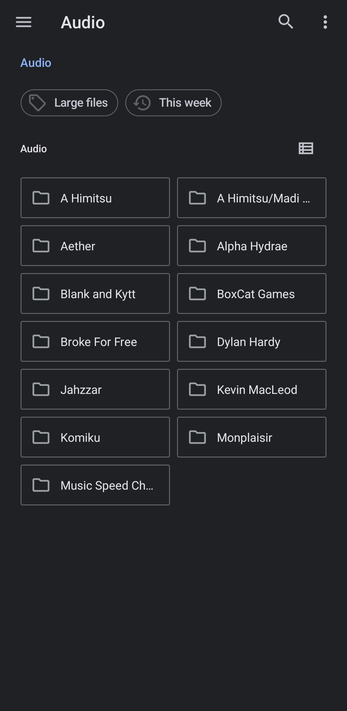
- Browse to the file and tap it. It opens in Music Speed Changer, ready to play and edit.
Files from cloud storage are downloaded to your device. After Music Speed Changer imports them, they're also available in the Library.
How did we do?
Deleting Tracks
