Deleting Tracks
Delete songs from your device in Music Speed Changer for Android, or hide them instead if you only want them out of the way.

Updated
by Steve Myers
Music Speed Changer can delete tracks from your device. Deleting removes the file permanently. It doesn't affect copies stored elsewhere, such as in cloud storage or on your computer.
If you only want a track out of the way in Music Speed Changer, hide it instead. Hidden tracks stay on your device and you can bring them back at any time.
- Tap the … button next to the track and choose Delete from device. The same option is in the album and artist menus, and in the menu for several selected songs.
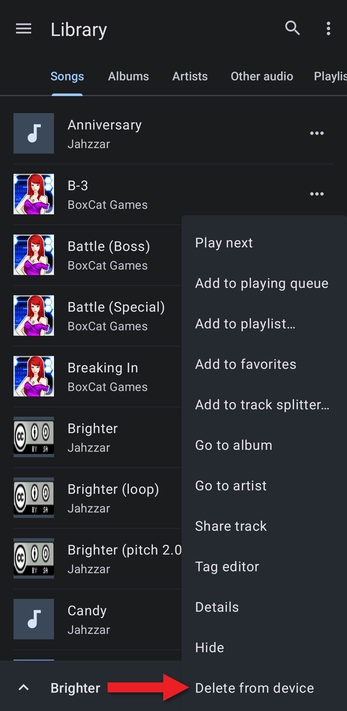
- Android asks you to confirm. Tap Allow to delete the file, or Deny to keep it.
To delete all the audio files in a folder, use Delete contents in Folders.
How did we do?
Hiding Tracks and Folders
Opening Files from Cloud Storage with the Audio Picker
