Searching for Songs
Search your music in Music Speed Changer for Android to quickly find songs, albums and artists as you type.

Updated
by Steve Myers
To find a song, album or artist quickly, use search.
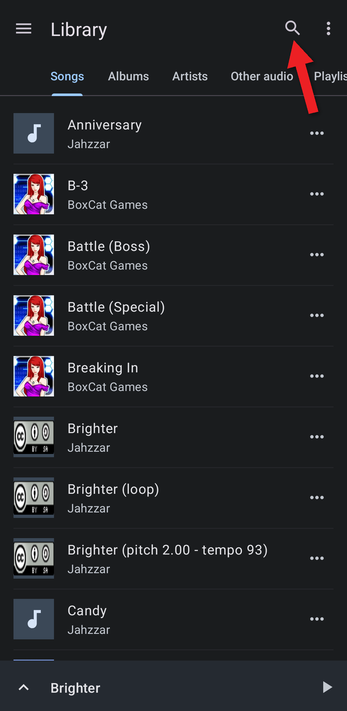
- In the Library, tap the magnifier at the top of the screen.
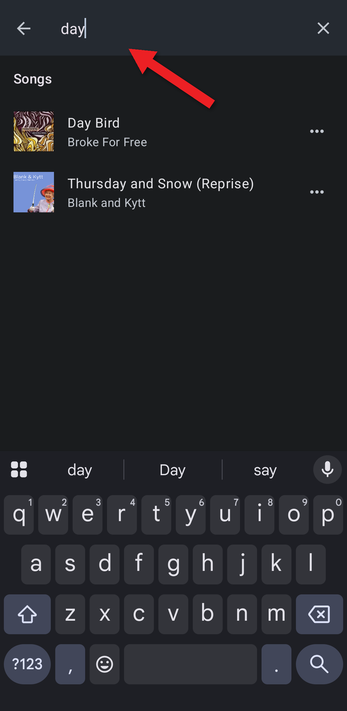
- Type part of a song title, album or artist name. Results appear as you type, grouped under Songs, Albums and Artists. The words you type can appear anywhere in the name, so "day" finds both "Day Bird" and "Thursday and Snow".
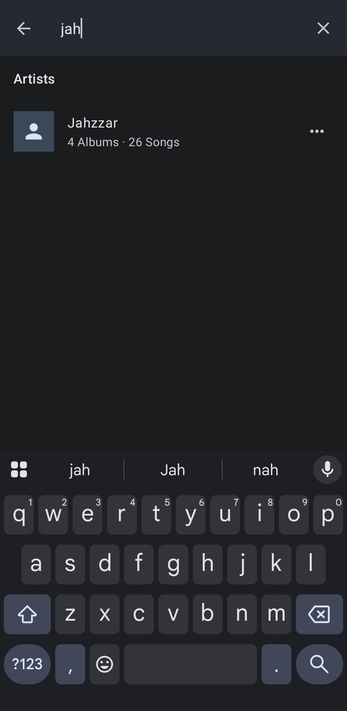
Tap a result to play it or open it, or tap its … button for more options. Tap the X to clear the search, or the back arrow to close it.
You can also search in Folders and My Creations.
How did we do?
Exporting and Importing Playlists
Browsing Folders
