My Creations: Your Edited Tracks and Recordings
Find your saved edits, audio recordings and split tracks in My Creations in Music Speed Changer for Android.

Updated
by Iracy Gomes
My creations collects everything you've made with Music Speed Changer: edited tracks you've saved, audio recordings and split tracks. It shows the files in your save folder, so any audio files you copy into that folder yourself appear here too.
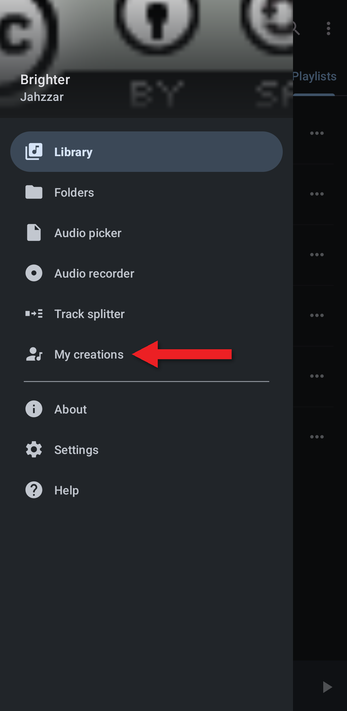
- Open the app menu (☰) and tap My creations.
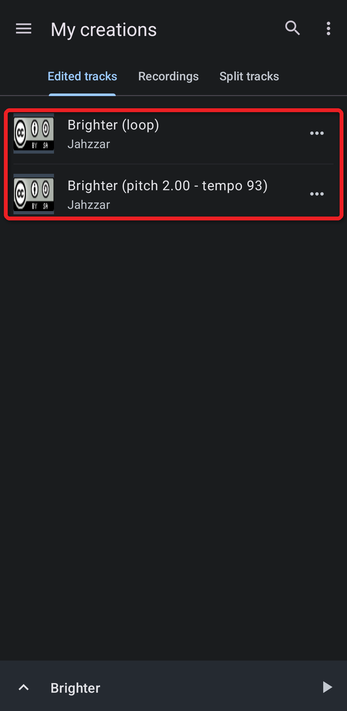
- The Edited tracks tab lists the tracks you've saved from the editor.
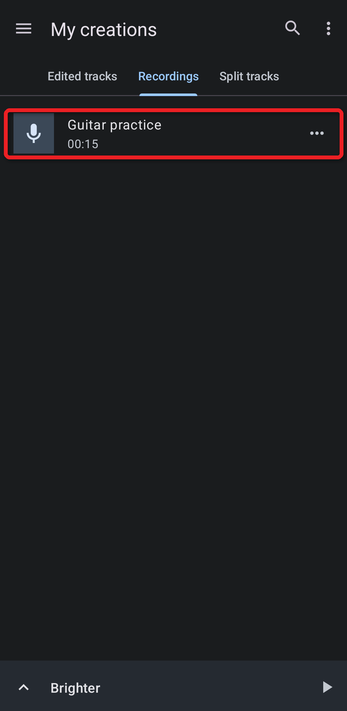
- The Recordings tab lists the recordings you've made with the audio recorder. A third tab, Split tracks, lists the tracks created by the track splitter.
Tap a track to play it, or tap its … button to add it to a playlist, share it, edit its tags and more. Use the search and ⋮ (Sort order) buttons at the top to find tracks quickly.
How did we do?
Save Settings: File Format, Quality and Save Location
Recording Audio with the Audio Recorder
