Playing Audio Over Other Apps
Keep music playing when other apps play sound: turn on Play audio over other apps in Music Speed Changer for Android.

Updated
by Iracy Gomes
Normally, when another app starts playing sound (for example a video, a game or a phone call), Android asks the music app to pause. This is called an audio focus request. It's the most common reason music pauses unexpectedly.
Music Speed Changer can ignore these requests, so your music keeps playing while you watch videos, play games, or anything else that would normally pause it.
- Open the app menu (☰) and tap Settings, or tap Settings in the editor's ⋮ menu.
- Under Device interaction, tick Play audio over other apps (No playback interruptions).
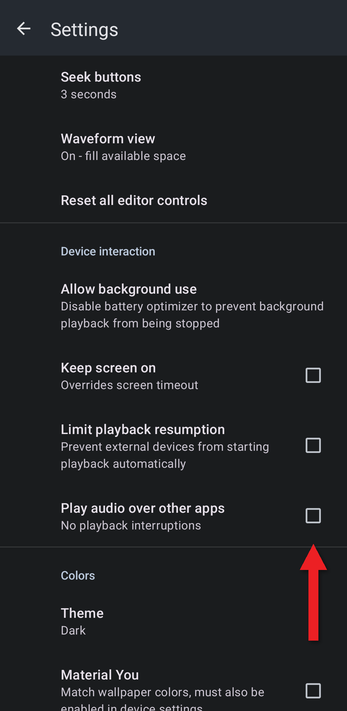
To go back to pausing for other apps, untick it.
Related Articles
How did we do?
Background Use, Keep Screen On and Other Device Settings
Backing Up and Restoring Playlists, Markers and Settings
