Joining Pitch and Tempo into Rate
Join tempo and pitch into one Rate slider in Music Speed Changer for Android to speed up or slow down music like a record player.

Updated
by Iracy Gomes
Music Speed Changer lets you control pitch and tempo separately. You can also join the two into a single Rate control, which speeds up or slows down the music and raises or lowers its pitch together, just like playing a record faster or slower.
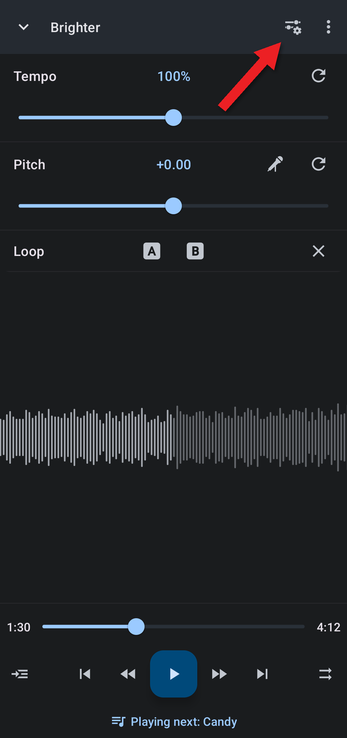
- Open the editor by tapping the bar at the bottom of the screen, then tap the Editor components button (the sliders icon at the top right).
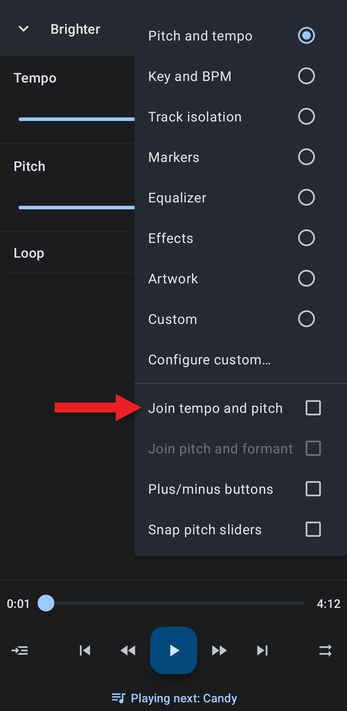
- Tick Join tempo and pitch.
- The Tempo and Pitch sliders are replaced by a single Rate slider. Drag it, or tap the Rate value to type an exact percentage.
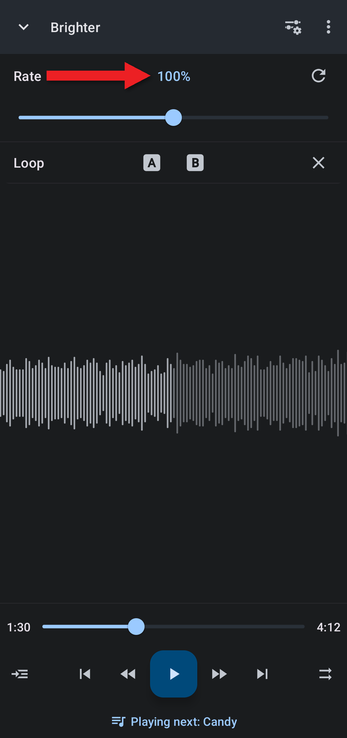
To go back to separate controls, untick Join tempo and pitch.
Using a Link Button Instead
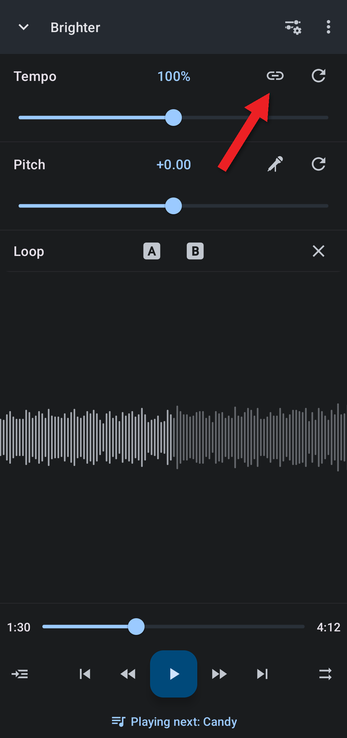
If you switch between joined and separate controls often, you can add a link button to the editor. In Settings, tap Tempo, pitch, and formant and tick Tempo/pitch join button. A chain-link button then appears on the Tempo row; tap it to join pitch and tempo, and tap it again to separate them.
Related Articles
How did we do?
Adjusting Pitch and Tempo Precisely
Setting and Editing A/B Loop Points
