Calculating and Changing the Rate of Music
Calculate the rate change to shift music from one frequency to another, and set it with the Rate slider in Music Speed Changer for Android.

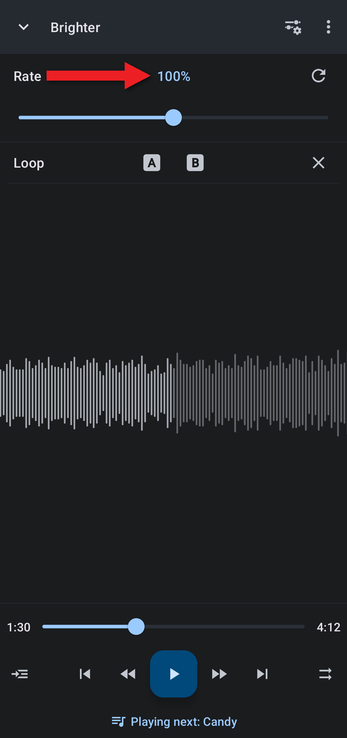
Music Speed Changer can join Tempo and Pitch into a single control called Rate. Changing the rate speeds up or slows down the music and raises or lowers its pitch together, like playing a record faster or slower. See Joining Pitch and Tempo into Rate for how to turn it on.
Calculating a Rate Change
Rate is a percentage of the original speed. To change a track's frequency from one value to another, divide the frequency you want by the starting frequency and multiply by 100:
rate % = new frequency ÷ original frequency × 100
For example, to shift music tuned to 440 Hz so that it sounds at 432 Hz, set the rate to 432 ÷ 440 × 100 ≈ 98.18%. The track also plays about 1.8% slower. To change only the pitch and keep the original speed, use the pitch control instead, as described in Converting 440 Hz Music to 432 Hz or 528 Hz.
To enter an exact rate, tap the Rate value above the slider and type the number.
If you're speeding up music to make nightcore, see Making Nightcore.
How did we do?
Time Stretching to a Specific Duration
