Balance: Left and Right Output
Use the balance control in Music Speed Changer for Android to send sound to the left or right speaker or earbud.

Updated
by Steve Myers
The Balance control sets how much sound goes to the left and right speakers or earbuds. Use it to listen to one side only, or to correct a recording that sounds louder on one side.
- In the editor, tap the Editor components button (the sliders icon at the top right) and choose Equalizer. Balance is the second row, under Preamp. You can also add Balance to a custom layout (see Using the Editor and Customizing Its Layout).
- Turn on the Balance switch. It's off by default.
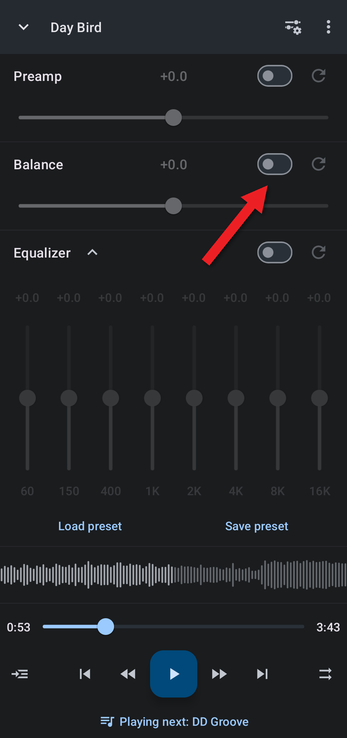
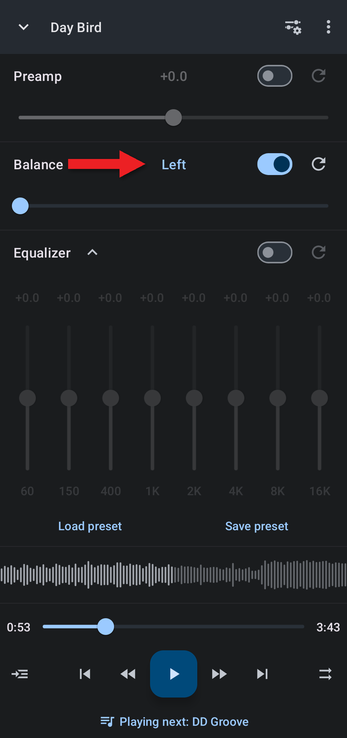
- Drag the slider left to send more sound to the left side, or right for the right side. Fully left, the value reads Left and only the left channel plays.
Fully right, the value reads Right and only the right channel plays.
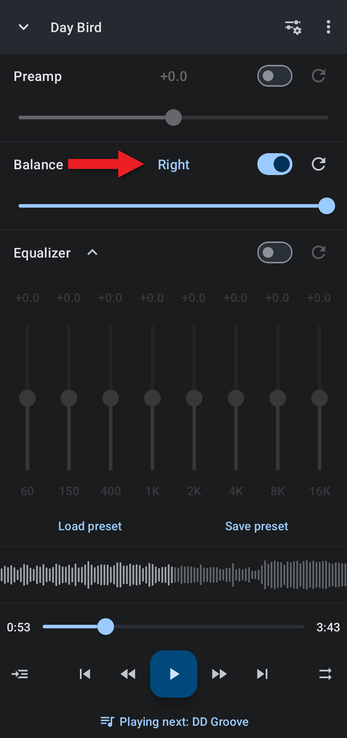
In between, the value is shown in dB (−15 to +15). To enter an exact value, tap the number. To center the balance again, tap the reset button at the end of the row.
Related Articles
How did we do?
Turning Up the Volume with the Preamp
Audio Effects: Vocal Reducer, Reverb, Echo and More
