Turning Up the Volume with the Preamp
Make music louder or quieter with the preamp in Music Speed Changer for Android, and avoid distortion when you boost the volume.

Updated
by Iracy Gomes
The preamp raises or lowers the overall volume of the music, both when you play it and when you save edited tracks. It's off by default, so tracks play at their original volume.
- To make music louder, turn the preamp on and raise it above 0 dB.
- To make it quieter, or to leave headroom when you boost the equalizer, lower it below 0 dB.
Raising the volume too far can cause clipping (distortion) on loud parts, especially after lowering the pitch or boosting the equalizer. If you hear distortion, lower the preamp a little or try the Limiter effect (see Audio Effects: Vocal Reducer, Reverb, Echo and More).
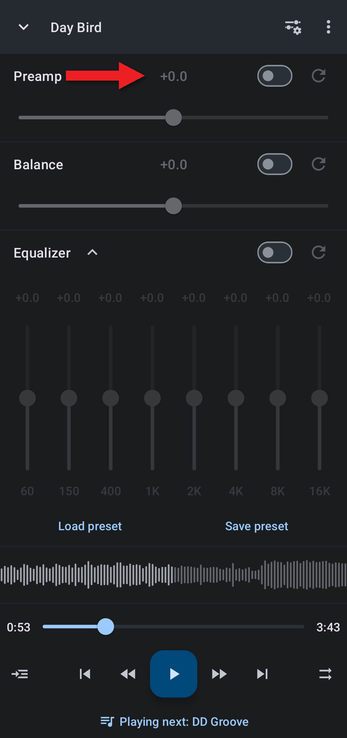
Using the Preamp in the Equalizer Layout
- In the editor, tap the Editor components button (the sliders icon at the top right) and choose Equalizer.
- The preamp is the top row. Turn on its switch, then drag the slider, or tap the value to type an exact number of decibels (from −15 to +15 dB). Tap the reset button to go back to 0 dB.
Adding the Preamp to Your Own Layout
If you adjust the volume often, add the preamp to your custom editor layout so it's always on screen:
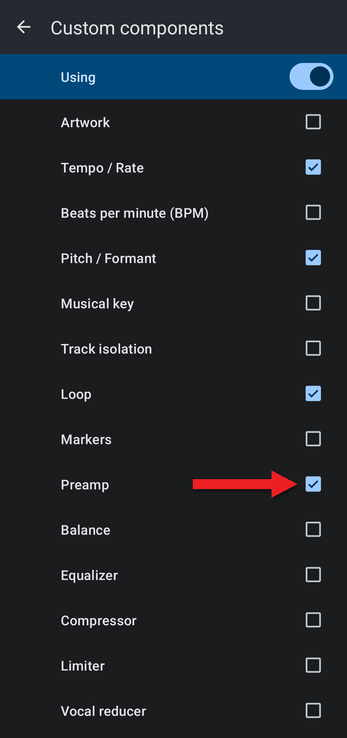
- In the Editor components menu, choose Configure custom….
- Turn on the switch at the top so it reads Using, and tick Preamp along with the other components you want.
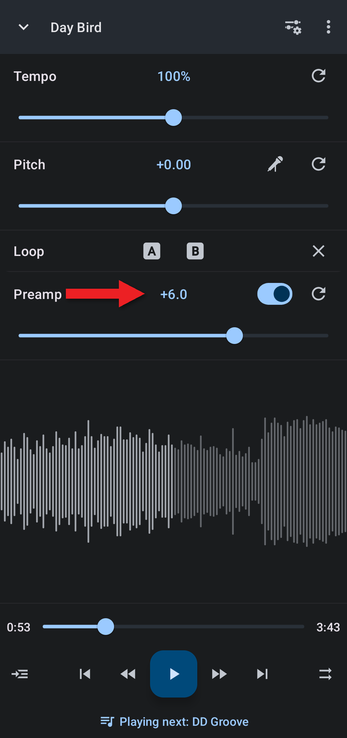
- The preamp now appears in the editor along with your other controls.
Related Articles
How did we do?
The Equalizer Explained
Balance: Left and Right Output
