Snapping Loops and Markers to the Beat
Make loop points and markers snap to the beat, and sync Echo and Flanger to a track's BPM, in Music Speed Changer for Android.

Updated
by Iracy Gomes
Music Speed Changer detects each track's beat, and it can use it to place loop points and markers exactly on the beat and to time the Echo and Flanger effects.
Snapping Loop Points and Markers to the Beat
- Open the app menu (☰) and tap Settings, or tap Settings in the editor's ⋮ menu.
- Scroll down to Beat detection and syncing and tick Loop and marker points (Snap to nearest beat).
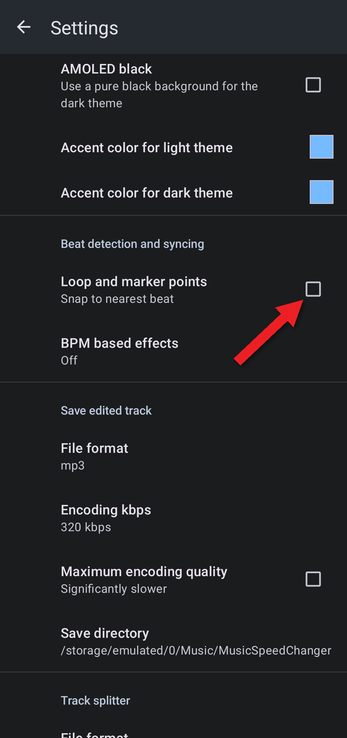
Now when you set an A/B loop point or add a marker, it moves to the nearest beat.
Syncing Effects to the Beat
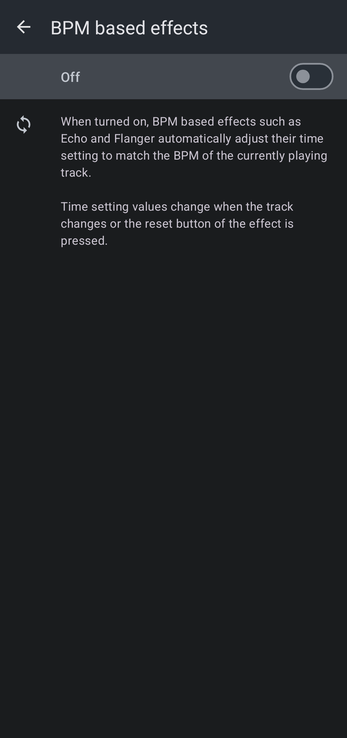
Tap BPM based effects in the same section and turn the switch on. Effects with a time setting, such as Echo and Flanger, then automatically match the BPM of the playing track. Their time settings update when the track changes or when you tap the effect's reset button.
Related Articles
How did we do?
Detecting and Changing a Track's BPM
Track Splitter: Isolating Vocals and Instruments
