Music and Audio for TikTok and YouTube Videos
Make music and voice-overs for TikTok and YouTube videos with Music Speed Changer for Android: change pitch and tempo, add effects and save.

Music Speed Changer helps with the music and sound for your TikTok and YouTube videos. You can alter your voice-overs and turn any track into your own remix. It's also great for making 432 Hz, nightcore and slowed + reverb versions of songs.
Recording and Editing a Voice-Over
Record sounds or a voice-over with the app's audio recorder, then change it with the pitch and tempo controls and effects. To make your narration sound like someone else, change the pitch of your voice: raise it to sound like a child or a cartoon character, or lower it for a deeper voice.
Creating a Custom Soundtrack
TikTok is known for short dance and comedy clips, and YouTube videos are usually longer and more informative, but on both, a good soundtrack makes a video more popular. Music adds emotion, and an emotionally compelling video keeps viewers watching to the end and sharing it.
You don't need to be a musician to make your own soundtrack. Open a track in the editor, shift the pitch and change the speed as much or as little as you like, add effects, and save the result as a new file to use in your videos.
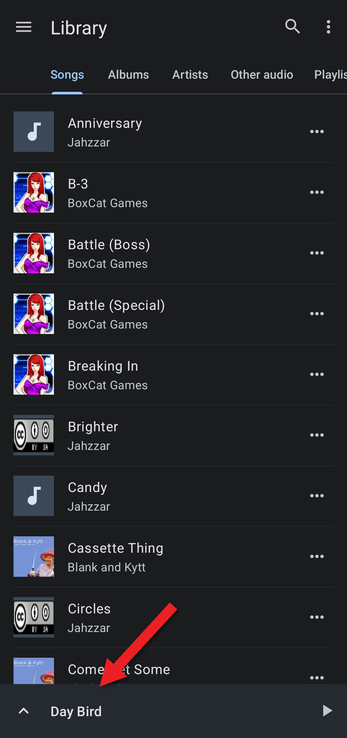
- Play the track and open the editor by tapping the bar at the bottom of the screen.
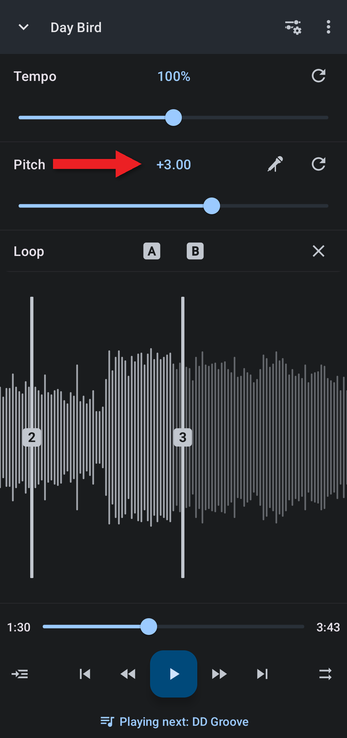
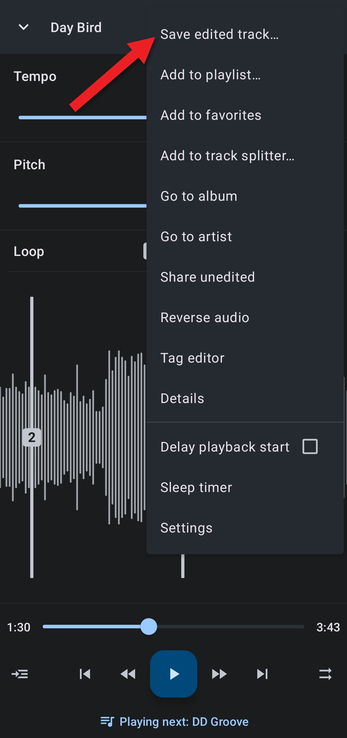
- Tap the ⋮ menu and choose Save edited track…. See Saving Edited Tracks.
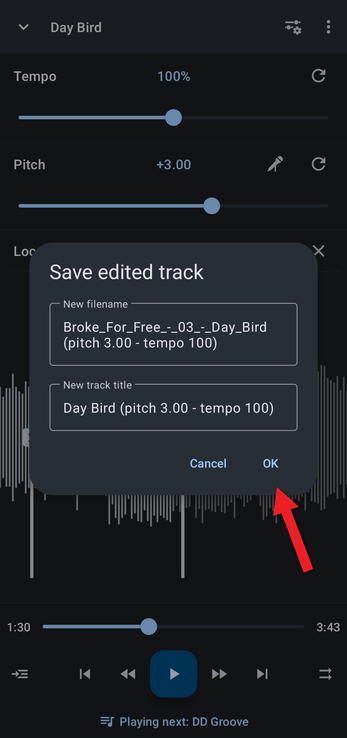
For extra drama, add reverb, echo or any of the other audio effects.
How did we do?
Teaching Dance with Slowed-Down Music
Time Stretching to a Specific Duration
